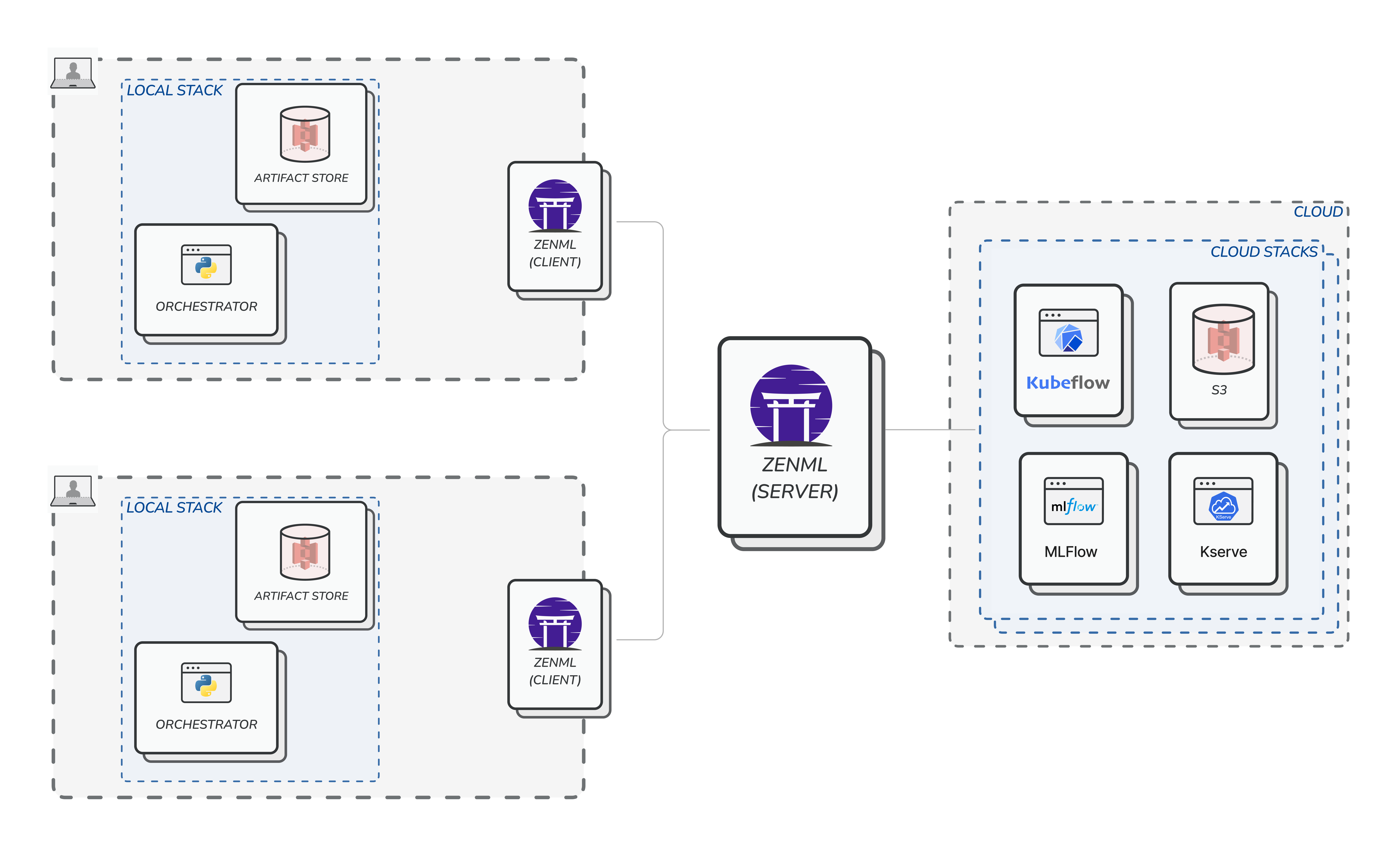
Using ZenML to develop and execute pipelines from the comfortable confines of your workstation or laptop is a great way to incorporate MLOps best practices and production grade quality into your project from day one. However, as machine learning projects grow, managing and running ZenML in a single-user and single-machine setting can become a strenuous task. More demanding projects involve creating and managing an increasing number of pipelines and complex Stacks built on a wider and continuously evolving set of technologies. This can easily exceed the capabilities of a single machine and person or role. The same principles observed in the ZenML single-user experience are applicable as a framework of collaboration between the various specialized roles in the AI/ML team. We purposefully maintain a clean separation between the core ZenML concepts, with the intention that they may be managed as individual responsibilities assigned to different members of a team or department without incurring the overhead and friction usually associated with larger organizations. One such example is the decoupling of ZenML Stacks from pipelines and their associated code, a principle that provides for a smooth transition from experimenting with and running pipelines locally to deploying them to production environments. It is this same decoupling that also allows ZenML to be used in a setting where part of a team is iterating on writing ML code and implementing pipelines, while the other part is defining and actively maintaining the infrastructure and the Stacks that will be used to execute pipelines in production. Everyone can remain focused on their responsibilities with ZenML acting as the central piece that connects and coordinates everything together. The ability to configure modular Stacks in which every component has a specialized function is another way in which ZenML maintains a clean separation of concerns. This allows for a MLOps Stack design that is natively flexible and extensible that can evolve organically to match the size and structure of your AI/ML team and organization as you iterate on your project and invest more resources into its development. This documentation section is dedicated to describing several ways in which you can deploy ZenML as a collaboration framework and enable your entire AI/ML team to enjoy its advantages.Documentation Index
Fetch the complete documentation index at: https://zenml.mintlify.app/llms.txt
Use this file to discover all available pages before exploring further.
Step 1: Single user working with local stacks
As mentioned before, the most common starting point for most ZenML users would be to locally install it and start managing stacks. We have discussed the nitty-gritty details of such usage previously.
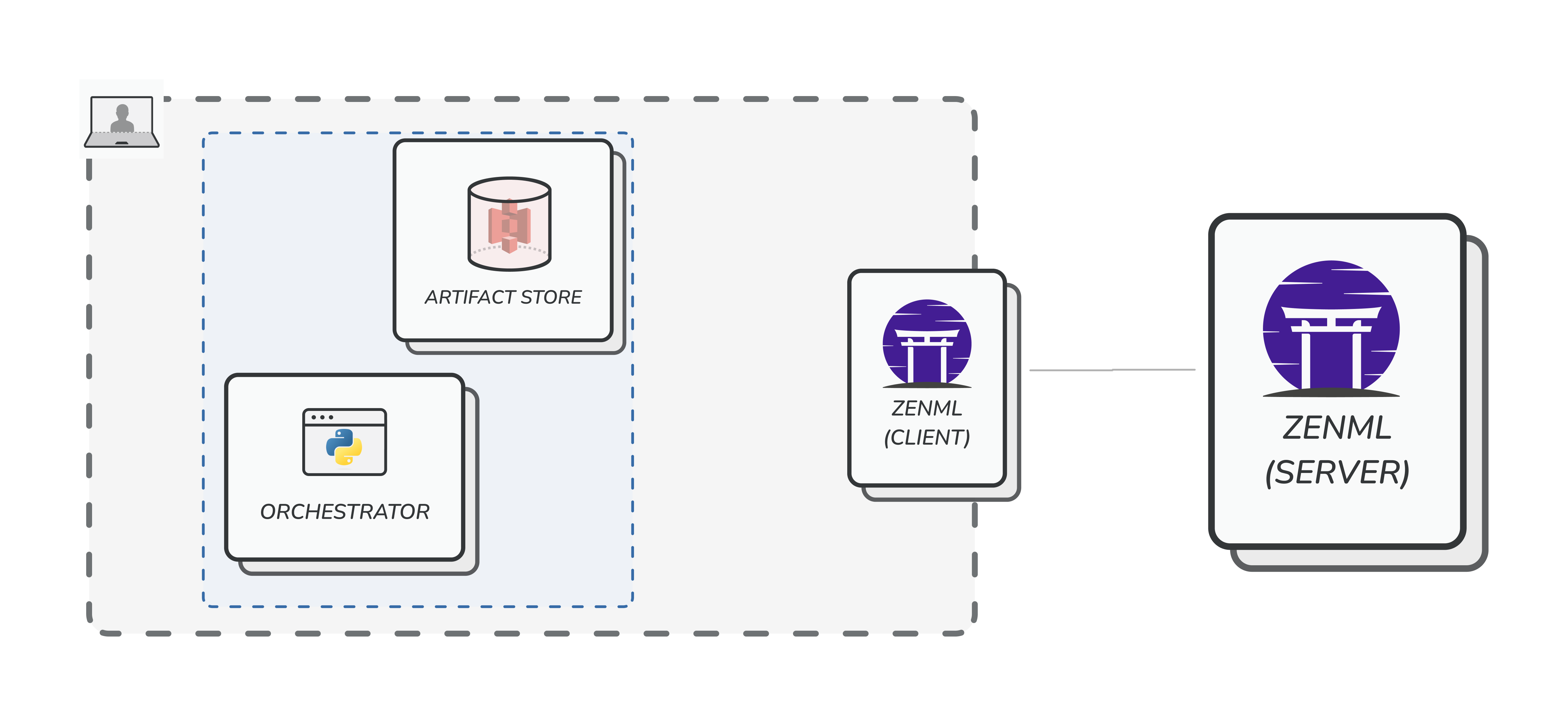
Step 2: Single user working with local and cloud stacks
The next step in the journey is to go to the cloud, and for that you need to deploy ZenML. Don’t worry - we will show an easy way of getting started with this quickly, with little to no knowledge of cloud technologies in the next section. For now, we should understand the consequence of doing such an action. Once ZenML is deployed and the user connects to it remotely, all stacks, pipelines, runs, and other metadata will be centrally tracked in the database that backs the server. The user can still keep using local, non-shared stacks (e.g. the default stack). However, they will notice a significant dropoff in speed of execution of the pipelines because they are now communicating over the internet to a central location.
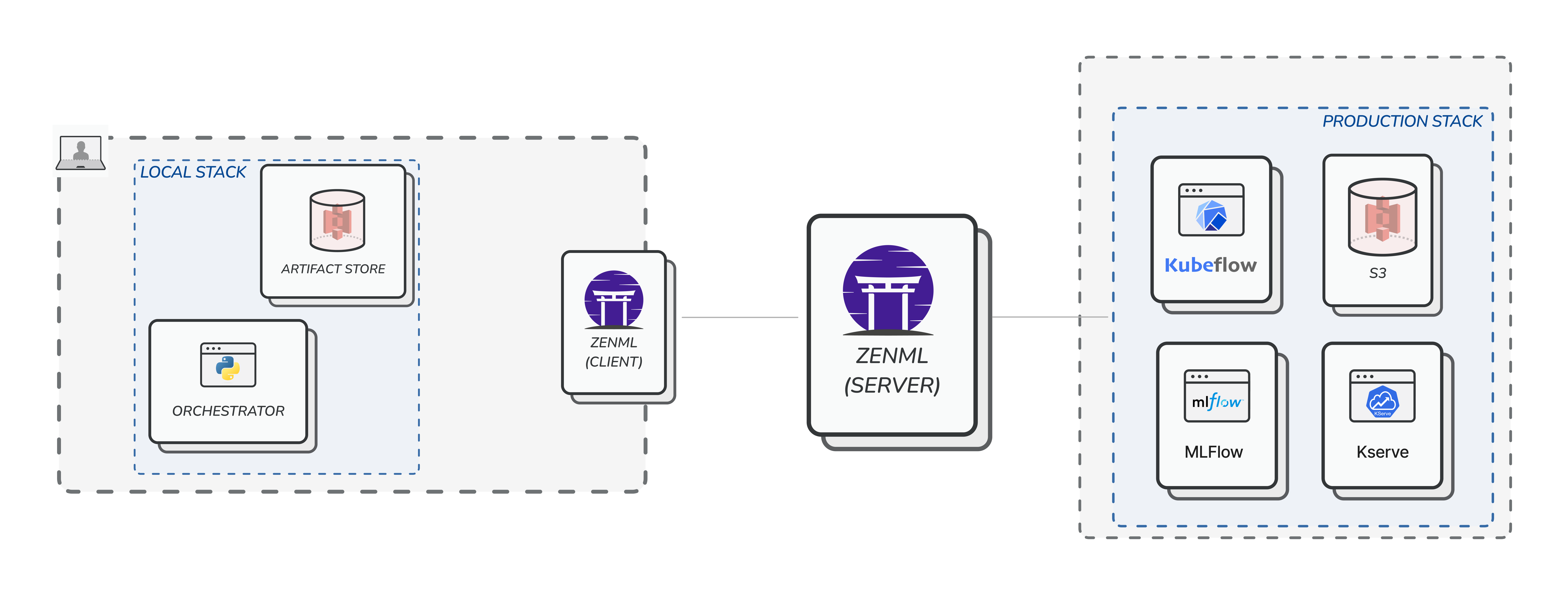
Step 3: Multiple users working with local and cloud stacks
Once the user is ready, they can now go ahead and register so calledcloud (read: non-local) stacks. These stacks consist of stack components that point to tooling infrastructure that is also running on the cloud. A good example of this is a stack that uses the following components:
- KubeflowOrchestrator which orchestrates your ML workflows on Kubeflow Pipelines.
- S3ArtifactStore which can store your artifacts in a S3 storage.
- MLflowExperimentTracker which can track your experiments with MLFlow.
- EvidentlyDataValidator which can help you validate your data with Evidently.